
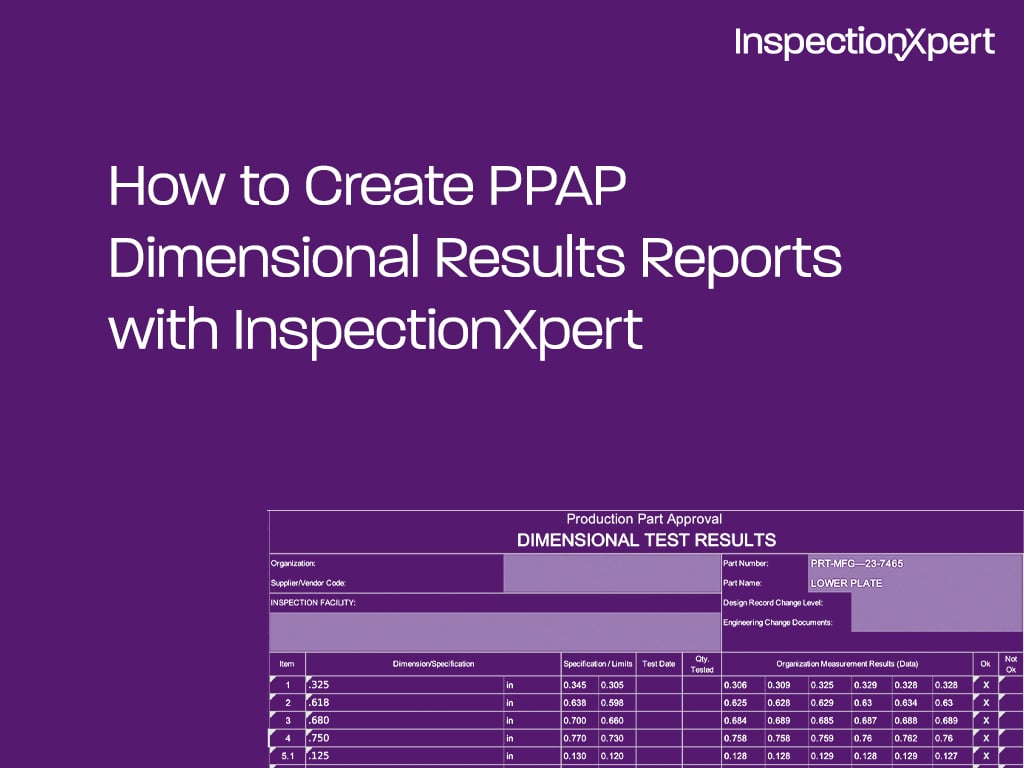
The PPAP (Production Part Approval Process) Dimensional Results Report, element 9 of the PPAP package, provides a record of the dimensional data taken from product manufactured during the production run. A ballooned part drawing is required as part of the design record and is referenced directly in the dimensional results.
These requirements are typically met with two documents: a ballooned (or bubbled) part drawing, and a spreadsheet listing every dimension and specification alongside the test results.
The AIAG PPAP Manual does not specify a required sample size. In practice, common industry convention is 6 pieces from the first production lot. These do not need to be the first 6 pieces produced, and the master sample does not have to be the first one made.
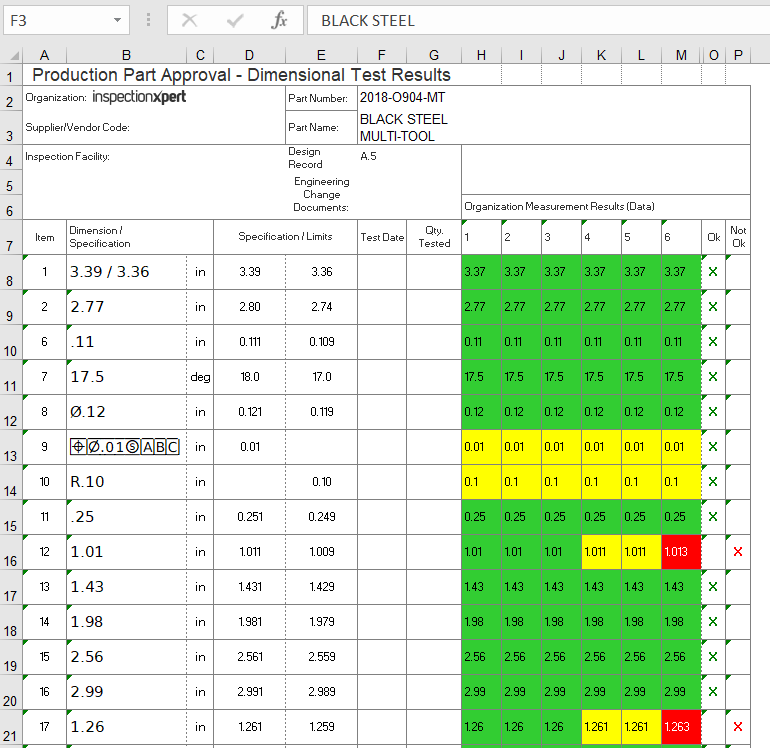
Below is an example from an actual PPAP Dimensional Results Report for a stainless steel multi-tool (part number 2018-O904-MT). The report uses conditional formatting, green for results comfortably within tolerance, yellow for results close to the limit, and red for results outside tolerance, so reviewers can spot problems at a glance:
| Item # |
Dimension/Spec |
Spec/Limits |
Sample 1 |
Sample 2 |
Sample 3 |
Result |
| 8 |
2X Ø.12 THRU |
0.121 / 0.119 in |
0.12 |
0.12 |
0.12 |
OK |
| 9 |
Position tolerance ⊕Ø.01Ⓢ|A|B|C |
0.01 in |
0.01 |
0.01 |
0.01 |
OK |
| 12 |
1.01 |
1.011 / 1.009 in |
1.011 |
1.011 |
1.013 |
Not OK |
Item 8 is a 2X Ø.12 THRU hole, and item 9 is the position tolerance callout that controls it (a feature control frame referencing datums A, B and C), both measured within tolerance across all 6 samples. Item 12, a 1.01 in dimension with limits of 1.011/1.009, drifts out of tolerance by sample 6 (1.013), flagged Not OK. This is exactly what the report is for: catching a characteristic that passed on early samples but failed by the end of the run.
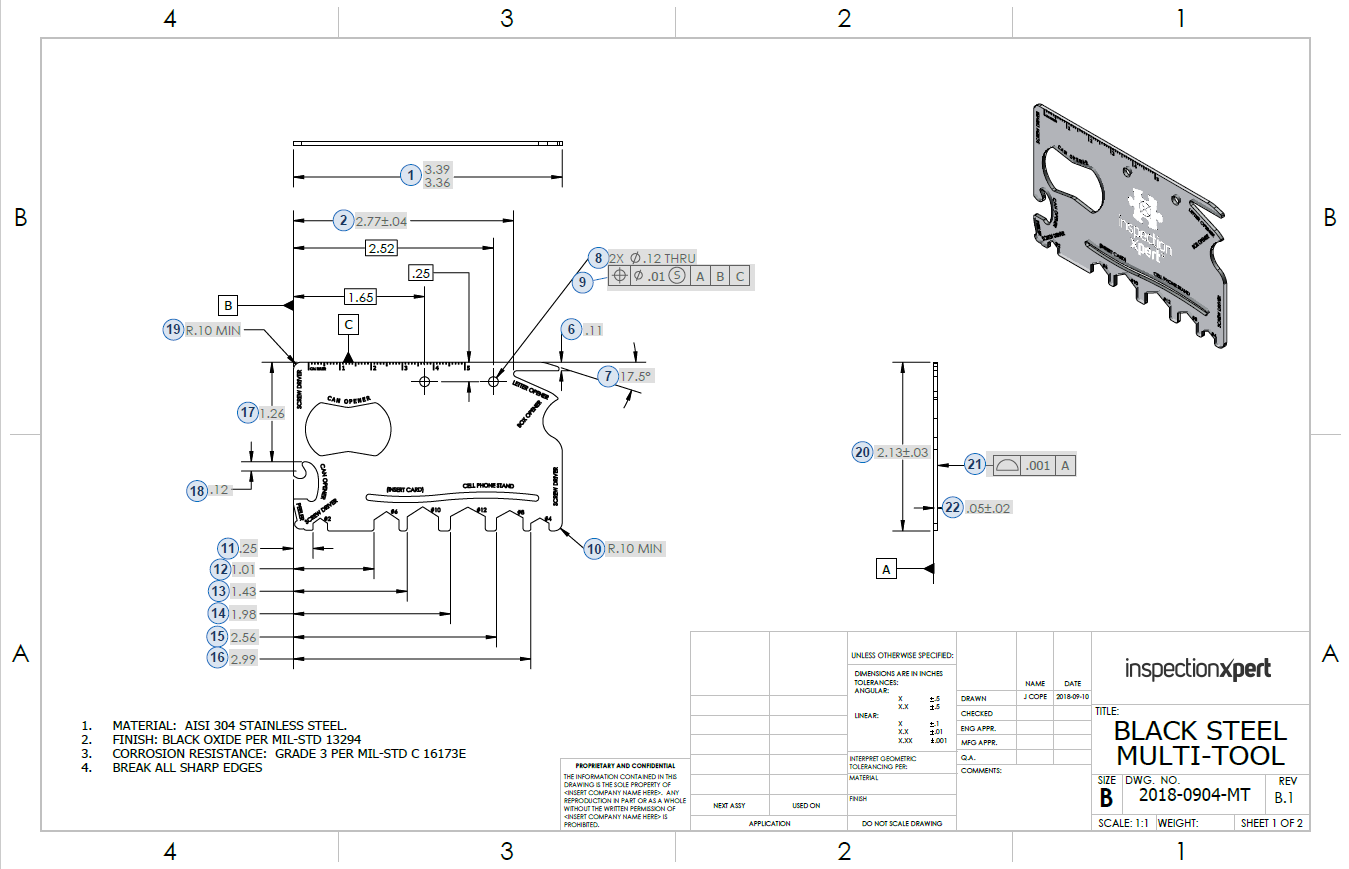
Below is the corresponding part drawing, with each dimension ballooned. Item numbers 8, 9 and 12 on the drawing are the same item numbers used in the results table above, so a reviewer can trace the Not OK result on item 12 directly back to its exact location and tolerance on the drawing.
Depending on your customer's requirements, you may not need all these fields, or additional fields may be required, such as testing more parts.
Other supporting documents for dimensional results
Depending on your customer's requirements, you may be able to submit a checked print, where results are legibly written directly on a part drawing, instead of a separate Dimensional Results Report.
Want to learn more about PPAP? Read about all 18 elements and get our free PPAP Excel template.
With Ideagen Quality Control Professional (formerly InspectionXpert), you can balloon part drawings, capture feature data, and instantly publish that data to a PPAP Dimensional Results Report, so item numbers and measured results stay linked to the drawing automatically instead of being matched by hand. Learn more about Ideagen Quality Control here.
Ideagen Quality Control, you can balloon part drawings, capture feature data, and instantly publish the data to a PPAP Dimensional Results Report.
Published October 17, 2019. Updated July 9, 2026.

Copyright 2026 Ideagen, All Rights Reserved